telltail · by cogshift · firefox & chrome
AI detection anywhere you read.
What you read never leaves your browser.
Telltail outlines likely AI-written text as you read it, on your feed, in your webmail, in your team chat. A small model runs entirely in your browser, even offline.
free · no signup · works offline · nothing uploaded
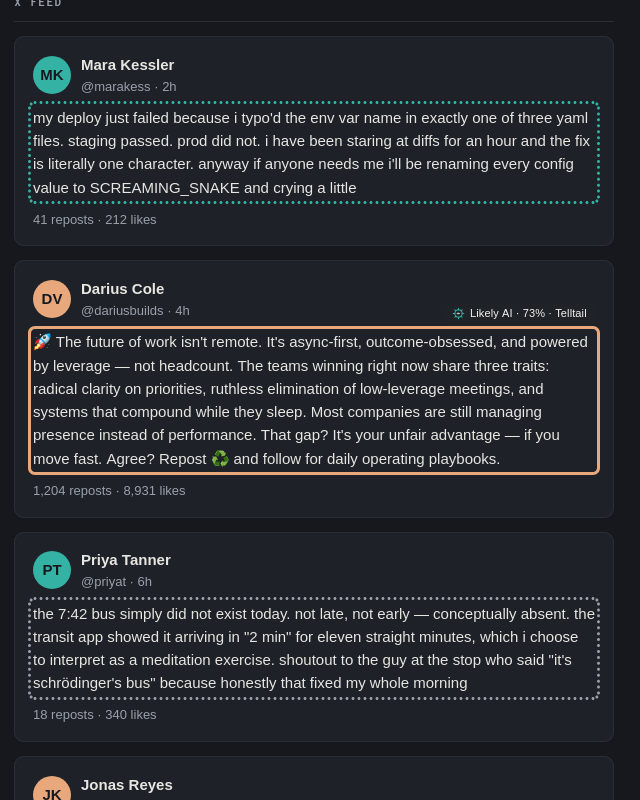
a synthetic feed — no real people, no real companies
why local matters
Most AI detectors upload the text. Telltail never has to.
The model runs in WebAssembly inside your browser, so Telltail can check text in places you would never send to a detector. X and LinkedIn are built in; everything else is yours to switch on, site by site or all at once, and Telltail reads only the sites you enable.
- webmail
- check a message without forwarding private correspondence to a classifier
- team chat
- read internal messages without sending company conversations elsewhere
- the open web
- X, LinkedIn, news, forums, blogs, docs. Telltail follows you
- internal tools
- if it renders as text in your browser, Telltail can outline it locally
The model was trained on social posts, so on short, casual mail and chat it says uncertain more often rather than guessing.
- Page content never leaves your browser. No account, no key, no signup.
- No analytics, no telemetry, no crash reporting, no ads.
- The only network use is the signed model download and a daily update check, with no identifiers.
- If you share a result, it goes only where you send it. Telltail itself sends nothing.
Technical and privacy details
- model on disk
- about 34 MB, downloaded once
- per post
- about 20–90 ms on a laptop CPU
- while scrolling a busy feed
- about 7% of one CPU core
- while idle
- about 0%; the runtime unloads after 5 idle minutes
- memory in use
- about 65–140 MB, freed when idle
- network
- signed model files only, about once a day
How it works: a 34 MB classifier scores each post on your CPU in tens of milliseconds, looking only at prose you scroll near. Inference is strictly sequential through a capped queue; overflow reads as not checked rather than piling up. About once a day the extension checks for a newer model: an Ed25519-signed manifest with a SHA-256 hash per file, downgrades refused, the previous model kept as fallback. Only data comes down, never code.
Read the privacy policywhat the outlines mean
A lens, not a blocker.
Telltail draws an outline and gets out of the way. Hover any outline for the confidence behind it. Filtering only collapses what you ask it to, and nothing is ever deleted.
- Likely AI — fairly confident a machine wrote this.
- Leans AI — more machine than person, but not sure.
- Toss-up — too close to call either way.
- Leans human — more person than machine, but not sure.
- Likely human — fairly confident a person wrote this.
- Not checked — skipped when busy, never a verdict.
accuracy
It speaks when it’s sure. That’s the point.
Detectors that put a verdict on every post are wrong often enough to be ignored. Telltail draws a solid outline only when the model is confident, leaves the rest dotted, and tunes its thresholds per site against measured false-alarm rates. A solid outline is meant to be rare and worth a look.
No detector is proof, and Telltail never claims otherwise. Every shared card says so. Wrong verdicts are the most useful thing you can report.
- against the commercial reference
- within 95% of Pangram on our held-out sets
- against cloud LLM judges
- matches or beats the best of them
- cost per check
- $0, on your own CPU
- latency
- instant: tens of milliseconds, no round trip
- privacy
- page content never leaves your browser
- when it isn’t sure
- it says so, and hides nothing
share · install
Pass a result around, then take it browsing.
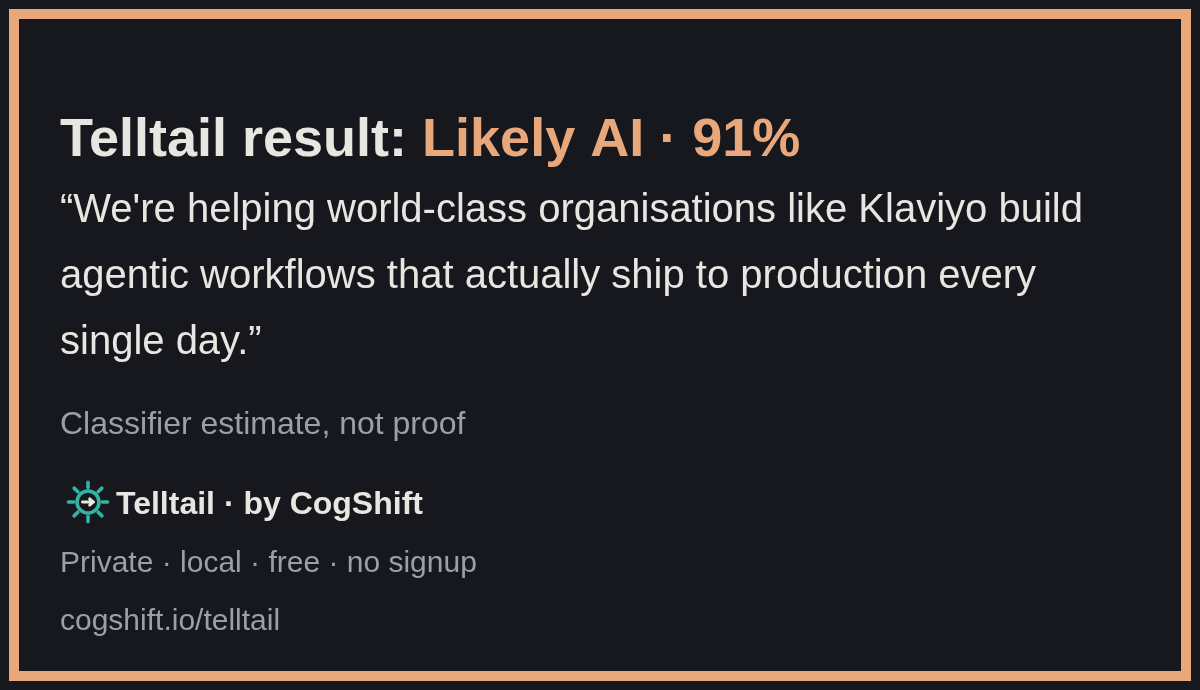
Right-click any outlined post to share what Telltail saw: a clean card, the post’s link, an optional excerpt, and the uncertainty printed on it. Never the author’s name. Free forever; works offline once the model has downloaded. Firefox 140 or newer, Chrome 116 or newer.
Firefox
firefox add-onsInstall from the Firefox Add-ons site. On first run the welcome tab opens, the model downloads itself, and outlines appear.
Add to FirefoxSubmitted to Firefox Add-ons for review. The button lights up here the day the listing is approved.
Chrome
chrome web storeInstall from the Chrome Web Store. X and LinkedIn work straight away; any other site is one click in the popup.
Add to ChromeSubmitted to the Chrome Web Store for review. The button lights up here the day the listing is approved.
Wrong verdict, or a site that misbehaves? Use Report a problem in the popup, or open an issue on the public tracker. Nothing is sent until you press Submit there.
questions
Straight answers.
What it does, what it doesn’t, and where your reading goes.
How accurate is it?
On the posts it is confident about, Telltail lands within 95% of Pangram, the leading commercial detector, and matches or beats the best cloud LLM judges on our held-out sets. The goal is not to label every post: it shows its confidence on every outline, says uncertain when it isn’t sure, and never hides a post. No detector is proof.
Does it work offline, and will it slow my browser?
Yes, once the model has downloaded. Measured on a busy feed it uses about 7% of one CPU core while scrolling and about 0% idle, and unloads itself after five idle minutes.
What about mail and chat?
Turn Telltail on for the site and it outlines the message text, not the buttons and menus. The model was trained on social posts, so on short, casual messages it says uncertain more often rather than guessing.
What if it gets one wrong?
Use Report a problem in the popup or open an issue on the public tracker. Nothing is sent until you press Submit there, and the post text is included only if you tick the box. Wrong verdicts are the most useful thing you can report.
Part of Cogshift READ — Telltail · ROUTE — Personal · CONTROL — Enterprise